ExpressJS allows you to develop custom web server according
to your need. You don’t need to install multiple packages to handle HTML
files. If you have Node.js installed, you are good to go.
In this short tutorial i am going to explain how to render HTML files in ExpressJS.
About sendFile() function.
ExpressJS provides sendFile()
function which will basically send HTML files to browser which then
automatically interpreted by browser. All we need to do is in every
route deliver appropriate HTML file.
For.eg :
When user hit main URL deliver index.html :
//assuming app is express Object.
app.get('/',function(req,res){
res.sendFile('index.html');});
This code is for example purpose. It will cause directory resolution error.
Our project :
I am going to develop simple website consist of 3 pages i.e
Home page, about page, site link page. I will use Bootstrap for
designing and jQuery for event handling.
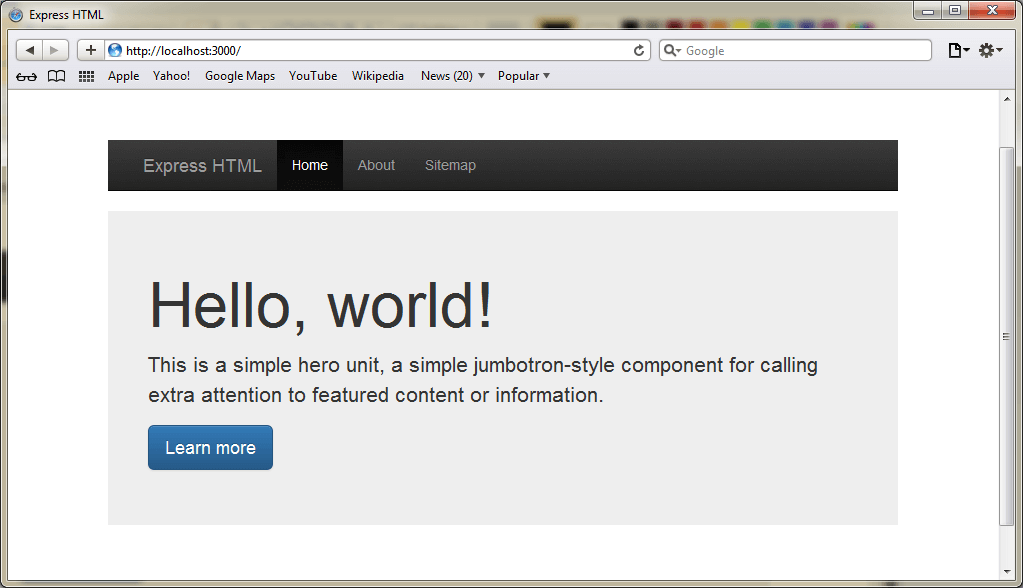
<h1>Hello, world!</h1> <p>This is a simple hero unit, a simple jumbotron-style component for calling extra attention to featured content or information.</p>
Learn more</a></p> </div> </div> </body> </html>
Here is the output.
Final words:
Right now we are resolving path in each router. You can
optimize this little bit. Express have configuration variable which
let’s you define static file path so that you don’t need to resolve path
in every routes. Here is how to do so.
var express = require("express"); var app = express();
app.use(express.static(__dirname +'/View'));
There are scenarios where you need to develop web server
which delivers HTML files like how your apache do. However this is not
the optimal use of Node.js but you can use such feature to achieve
custom web server for your own application.

Comments
Post a Comment